

How Do You Calibrate a Coffee Scale for Precision Brewing?
Last Updated: October 27, 2026
Quick Summary
To calibrate a coffee scale, first zero it and check it with a known reference weight, then enter calibration mode and adjust to that exact weight. Only calibrate if the scale fails a known-weight check, since unnecessary calibration introduces errors. A scale within 0.5 g of true weight is fine for most home brewing.
- Zero the scale, wait 30 seconds, then place a known weight centered on the platform.
- For most home brewing, a scale within 0.5 g of true weight is accurate enough.
- Espresso dosing needs 0.1-0.2 g accuracy because a 0.3 g error is noticeable.
- Calibrate once a month for home setups and once a week for daily espresso.
- Never tell the scale a weight is something it is not during calibration.
Table of Contents
- Why Scale Accuracy Decides Whether Your Brew Is Repeatable
- What You Need Before You Start: Reference Weights and a Flat Surface
- Step 1: Zero the Scale and Check It With a Known Weight
- Step 2: Enter Calibration Mode and Adjust to Your Reference Weight
- How to Test a Digital Coffee Scale for Repeatability, Not Just Accuracy
- Coffee Scale Calibration Weights: What to Buy and What to Use at Home
- How Often to Calibrate a Coffee Scale (and When to Skip It)
- Fixing Inconsistent Readings: Coffee-Scale Troubleshooting
- Frequently Asked Questions
Why Scale Accuracy Decides Whether Your Brew Is Repeatable
A coffee scale is a measuring tool, and like any measuring tool, it drifts. That drift is why two identical pour-overs can taste completely different.
A scale that reads 0.3 g heavy will dose 15.3 g when you asked for 15.0 g.
Repeatability is the goal, not perfection. Once your scale is dialed in, put that accuracy to work with these coffee brewing methods.
What You Need Before You Start: Reference Weights and a Flat Surface
Two things matter before you touch a button: a trusted reference weight and a level, vibration-free surface.
A reference weight is an object of known mass used to check or set a scale.
Here is your pre-flight checklist:
- A reference weight (calibration weight, or a known-mass household item)
- A flat, hard countertop away from the sink and stove
- Scale batteries at a healthy charge
Watch out: calibrating on a soft mat or a wobbly counter produces a bad calibration that looks successful. The scale accepts the number, then lies to you all week.
Step 1: Zero the Scale and Check It With a Known Weight
Power on the scale and let it settle for 30 seconds. Press tare or zero with nothing on the platform; the display should read 0.0 g.
Now place your known weight gently in the center of the platform. Wait for the reading to stabilize, usually two to three seconds.
Compare the reading to the actual weight.
Repeat three times, lifting the weight between checks. A scale reading 99.4, then 100.1, then 99.7 has a repeatability problem, which is worse than a simple offset.
Reading Tolerance: What Counts as Accurate Enough
For most home brewing, a scale within 0.5 g of true weight across its range is fine. A 0.1 g resolution scale that holds within 0.3 g is excellent.
Here is how tolerance maps to brewing tasks:
| Brewing Task | Accuracy You Need | Why It Matters |
|---|---|---|
| Pour-over, French press | Within 0.5 g | Dose errors of a gram barely move the cup |
| Batch brewing | Within 1 g | Larger volumes absorb small errors |
| Espresso dosing | Within 0.1-0.2 g | A 0.3 g error in an 18 g basket is noticeable |
| Dialing in a new bean | Within 0.1 g | You cannot compare shots if the dose moves |
Espresso is the strictest test: a 0.3 g swing in a small dose shifts brew ratio, timing and taste. If you pull shots daily, treat 0.1 g resolution as a requirement, not a luxury.
Step 2: Enter Calibration Mode and Adjust to Your Reference Weight
Separate three functions most guides conflate: tare (zero), verification, and calibration. Tare sets the display to 0.0 g with a container on the platform. Verification checks the scale against a known weight without changing anything. Calibration writes a new correction factor into memory.
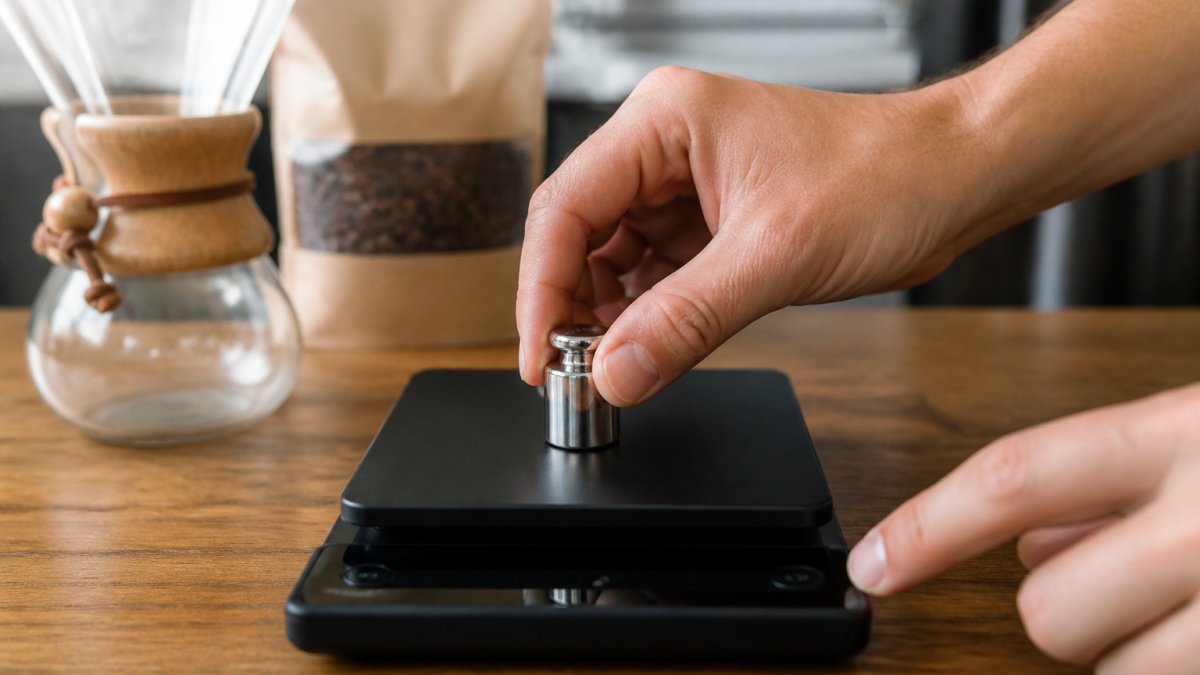
Calibration mode is a hidden, model-specific function. Guessing can lock the scale, wipe a saved reference value, or leave it reading consistently wrong, so the safe path is the manual. Most coffee scales fall into a few families:
-
Long-press tare: Hold tare for 3-5 seconds until the display flashes or shows
CAL. Common on basic pocket scales. - Two-button combos: Press tare and unit together, or mode and tare, depending on the model.
- Dedicated CAL button: A recessed or labeled CAL key, often on bench scales with a removable platform.
Once in calibration mode, the scale prompts for a specific reference value, commonly 100 g, 200 g, or 500 g. Place that exact weight centered on the platform and wait. The display flashes, then stabilizes or shows PASS.
If your scale lets you choose the reference value, match it to the weight you own and the range you brew in. A scale calibrated only at 500 g may still drift at 15 g, where espresso and pour-over doses live. When the manual permits, calibrate at the lowest reference point your scale accepts, often 100 g, closer to the loads you weigh every morning.
If the scale rejects the weight, flashing indefinitely, showing ERR, or returning to normal mode without confirming, work through the likely causes:
- Wrong reference value selected. Confirm the scale is prompting for the weight you placed.
- Unstable surface. Calibration on a wobbly counter or a soft mat will fail or produce a bad result that looks successful.
- Low battery. Calibration draws more current than weighing; a weak battery causes failed or inaccurate calibration.
After a successful calibration, always verify: power-cycle, tare with an empty platform, and place your known weight again. If the reading is within tolerance, you are done.
How to Test a Digital Coffee Scale for Repeatability, Not Just Accuracy
Accuracy tells you how close one reading is to the truth. Repeatability tells you whether the next reading will match. For brewing, repeatability wins.
Here is a simple test you can run in two minutes:
- Zero the scale with an empty dosing cup.
- Weigh 15.0 g of coffee beans. Note the reading.
- Remove the cup and re-tare.
- Weigh the same beans again. Note the reading.
- Repeat two more times.
Write the four numbers down. If they land within 0.1 g of each other, the scale is repeatable. If they spread across 0.4 g or more, the scale is adding noise to every brew.
A common mistake is testing only once. One clean reading proves nothing; four in a row tell you whether the scale can be trusted for a daily recipe.
Coffee Scale Calibration Weights: What to Buy and What to Use at Home
A reference weight is only useful if you know how accurate it is, the gap most guides skip when they say "use a known weight."
Certified calibration weights carry a stated tolerance and, in the U.S., are sold in ASTM or OIML classes.
Stainless steel is the default because it resists corrosion and holds its mass. Avoid plated or painted weights, which lose material over time.
If you would rather not buy a certified weight, household stand-ins can spot gross drift, but each carries its own error:
- Sealed bags of beans with a printed net weight: the fill is usually close, but label tolerances and settling mean the bag may be a gram or more off. Useful for a sanity check, not for setting a calibration.
- Coins: U.S. coins have official minted masses, but wear, dirt, and the fact that you are stacking several of them compound error. A single coin is too light to check a coffee scale meaningfully; a stack is only as accurate as its dirtiest coin.
- Measured water: one milliliter of water weighs approximately one gram at room temperature, so a measured volume can stand in for a mass (Water Density). The catch is that your measuring vessel has its own tolerance, and water evaporates. This is a rough check at best.
The reference weight should sit in the range you actually brew in. Calibrating at 500 g and then weighing 15 g doses leaves the low end unchecked, and low-end drift is exactly what ruins espresso. If your scale allows a 100 g calibration point, use it, and keep a 100 g weight for verification even if you calibrate higher.
Treat the weight as part of your kit, not a one-time purchase.
How Often to Calibrate a Coffee Scale (and When to Skip It)
Once a month is a sensible default for a home setup; once a week suits daily espresso or a small batch operation.
Calibrate sooner if any of these happen:
- The scale took a knock or a drop
- You moved it to a new spot or a new home
- Readings jumped after a battery change
Skip calibration when nothing has changed and your last known-weight check passed. Recalibrating an accurate scale adds risk, not precision, because each calibration is a chance to enter the wrong reference value.
Keep a short log: date, reference weight used, reading before and after. A written record turns guesswork into a trend you can actually see.
Fixing Inconsistent Readings: Coffee-Scale Troubleshooting
Inconsistent readings usually trace back to four causes: a dirty platform, a low battery, an unstable surface, or a scale that has drifted out of tolerance.
Work through this list before you assume the scale is broken:
- Clean the platform and feet. Coffee dust under the platform adds phantom weight.
- Replace the batteries. Low power causes wandering readings and slow settling.
- Move to a hard, level surface. Carpet, towels, and uneven counters cause drift.
Watch out: pressing down on the platform while taring teaches the scale a false zero.
If a scale fails the known-weight check right after a successful calibration, the load cell is likely worn. No amount of calibration fixes a failing sensor.
Frequently Asked Questions
How do you calibrate a coffee scale?
Turn the scale on and let it settle on a flat, level surface. Zero it, then enter calibration mode, which usually means holding a button until the display shows a weight value. Place your reference weight on the platform and adjust the reading until it matches. If your coffee scale has no calibration mode, verify it against a known weight instead and replace it if the error is large.
Can I calibrate a coffee scale without calibration weights?
You can verify one with household items of known mass, such as a sealed bag of beans weighed at a store or coins checked against official specifications. These work for a rough check, but they are not precise enough for adjusting a scale. For real calibration, use a dedicated reference weight, ideally one that matches a large share of your scale's capacity so the error shows up clearly.
Why does my coffee scale give inconsistent readings?
Inconsistent readings usually come from an unstable surface, a warm scale, low batteries, or a platform that needs zeroing between additions. Let the scale sit on a level counter away from the kettle, zero it before each dose, and weigh in small increments rather than dumping grounds in at once. If the same weight reads differently three times in a row, the load cell is likely failing.
Does a coffee scale need to be calibrated before every brew?
No. A quick zero and a check with a known weight takes seconds and is worth doing before a brew session, but full calibration is a monthly task for most home setups. Calibrate sooner if the scale has been dropped, moved, stored near heat, or sat unused for months. Keep a log of the date and the reading so you can spot drift before it affects your brew ratio.
Consistent brewing starts with a scale you trust, and great beans give that precision something worth measuring. Beverly Blend roasts to order so every bag arrives at peak flavor, with careful sourcing behind each lot and fast, reliable delivery to your door. Order a bag, verify your scale, and taste the difference a repeatable recipe makes. Get started with Beverly Blend and brew the same excellent cup every morning.
